Blog post: Why Zoho Projects is the smart choice for growing teams Project Management
Why Zoho Projects Is the Smart Choice for Growing Teams
As your team scales, your project management tool should grow with you - not slow you down. Here's why thousands of growing businesses are making the switch.
Every growing team hits the same wall: the spreadsheet that once tracked tasks across five people now buckles under fifty. The Slack thread that replaced your standup has become an archive nobody reads. And your "project management" app - the one you chose when you were just starting out - can no longer keep pace with deadlines, dependencies, and a dozen simultaneous workstreams.
That's where Zoho Projects comes in. More than just a task tracker, it's a full-featured project management platform built to scale with your ambitions - without the enterprise price tag that usually comes with that promise.
What exactly is Zoho Projects?
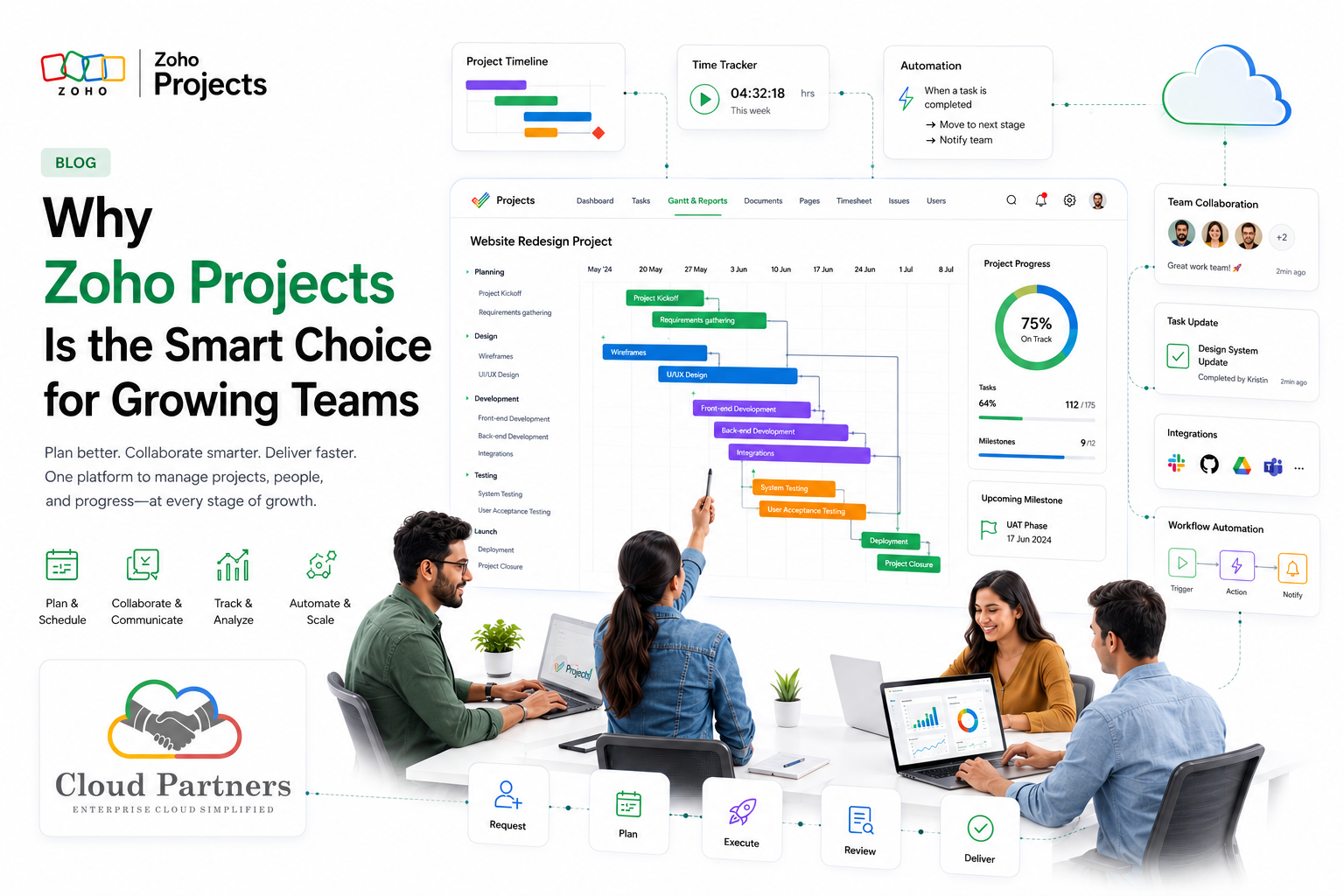
Zoho Projects is a cloud-based project management solution developed by Zoho Corporation, a company with over two decades of enterprise software experience. Unlike tools that do one thing well, Zoho Projects brings together task management, time tracking, team collaboration, Gantt charts, budget tracking, and deep integrations - all under one roof.
It's trusted by over 400,000 businesses across industries ranging from software and marketing to construction and consulting. For growing teams, it sits in a sweet spot: powerful enough for complex operations, intuitive enough that onboarding doesn't require a dedicated project manager.
Six features that make the difference
Growing teams don't just need more tasks - they need smarter workflows. Here's what Zoho Projects brings to the table that generic tools simply can't match.
Gantt Charts
Visual timelines with drag-and-drop scheduling. Set baselines, track progress, and spot bottlenecks before they become blockers.
Time Tracking
Log hours manually or with timers. Get detailed reports on where time goes - invaluable for billing and capacity planning.
Resource Management
See team workload at a glance. Avoid overloading your best people and distribute work based on real availability.
Built-in Collaboration
Comment on tasks, @mention teammates, share files, and run discussions - without switching to a separate chat tool.
Deep Integrations
Connects with Slack, Google Workspace, Microsoft 365, GitHub, Zapier, and the entire Zoho suite seamlessly.
Dashboards & Reports
Real-time project health dashboards. Custom reports on milestones, budgets, and team performance — no Excel needed.
Built to scale - not just survive growth
Most project management tools are designed for a single context: either solo freelancers or large enterprises. Zoho Projects is different because it's architected to grow with you - pricing, permissions, and power all scale together.
- ✓ Flexible roles & permissions - As you add departments and managers, granular access controls keep sensitive project data protected without locking out people who need visibility.
- ✓ Multi-project portfolio view - Growing teams run multiple projects simultaneously. Zoho Projects' portfolio dashboard gives leadership a bird's eye view across every active initiative.
- ✓ Automation & blueprints - Standardize repeating workflows with project blueprints. Automate routine approvals, status changes, and notifications so your team focuses on work, not admin.
- ✓ Budget & invoice tracking - Log budgets per project, track actual spend against estimates, and generate invoices directly - a feature set most tools reserve for premium tiers.
- ✓ Custom fields & layouts - Every industry tracks different information. Custom fields let your team capture what matters, not just what the software assumed you'd need.
"The best project management tool isn't the one with the most features - it's the one your team actually uses. Zoho Projects nails the balance between depth and usability."
Zoho Projects vs. the competition
The project management market is crowded. Here's an honest look at how Zoho Projects compares to alternatives on the features growing teams care most about.
| Feature | Zoho Projects | Asana | Monday.com | Trello |
|---|---|---|---|---|
| Gantt Charts | ✓ Built-in | ✓ Premium | ✓ All plans | ✗ Add-on |
| Time Tracking | ✓ Built-in | ✗ Integration | ✗ Integration | ✗ No |
| Budget Tracking | ✓ Built-in | ✗ No | ✗ No | ✗ No |
| Free Plan | ✓ Yes | ✓ Limited | ✗ Trial only | ✓ Yes |
| Starting price (paid) | ~$5/user/mo | ~$13/user/mo | ~$12/user/mo | ~$6/user/mo |
Prices approximate as of 2026. Always check vendor sites for current plans.
Who benefits most from Zoho Projects?
While Zoho Projects serves a wide range of teams, it's particularly well-suited for certain growth stages and industries:
Scale-ups (10 - 200 people)
Teams that have outgrown spreadsheets but aren't ready to invest in heavyweight enterprise software.
Tech & software teams
Built-in bug tracking, Git integration, and sprint planning make it a natural fit for engineering organizations.
Agencies & consultancies
Client billing, time sheets, and project templates help service businesses run multiple client engagements efficiently.
Construction & field teams
Issue tracking, document management, and baseline Gantt charts support project-heavy industries beautifully.
Getting started without the overwhelm
One concern teams have with full-featured platforms is the learning curve. Zoho Projects addresses this through a thoughtful onboarding experience: interactive walkthroughs, project templates for common use cases (product launch, event planning, software sprints), and a rich knowledge base.
The recommended approach for growing teams:
- 1 Start with one project. Import your existing tasks and get familiar with Gantt charts and task dependencies before rolling out company-wide.
- 2 Enable time tracking early. Even rough time logs from week one give you data that pays dividends when planning future projects.
- 3 Set up automations in week two. Simple rules - like notifying a manager when a task is overdue - cut admin overhead immediately.
- 4 Connect your existing tools. Sync with Slack or Teams for notifications, and link your CRM or accounting software to close the loop on client projects.
The bottom line
Growing teams need a project management platform that earns its place in your stack every day - one that's powerful enough to handle complexity, affordable enough not to strain your budget, and intuitive enough that your team actually embraces it.
Zoho Projects ticks all three boxes. With built-in Gantt charts, time tracking, resource management, and a genuinely competitive price point, it removes the false choice between "feature-rich but expensive" and "affordable but limited."
If your team is ready to stop managing projects through chaos and start managing them with clarity, Zoho Projects is worth a serious look - and at no cost to try, there's very little reason not to.